

How to Use ESL Worksheets for Online Teaching Success
How to Use ESL Worksheets for Online Teaching Success
Moving ESL instruction online does not mean abandoning your favorite worksheets. It means redesigning how learners access, interact with, and receive feedback on those materials. When worksheets become digital, lessons remain structured while your students benefit from interactive, collaborative practice.
This guide walks through the challenges unique to remote classrooms, shows you how to choose digital-friendly resources, and shares engagement tactics that keep screens lively and purposeful.
Know the Online Classroom Challenge
Remote learners juggle distractions, bandwidth constraints, and varying device familiarity. Worksheets must therefore be accessible, visually clean, and supported by tools that encourage collaboration and accountability.
Choose Digital-Friendly Worksheets
Start with materials that are simple to share and easy for learners to manipulate on any device.
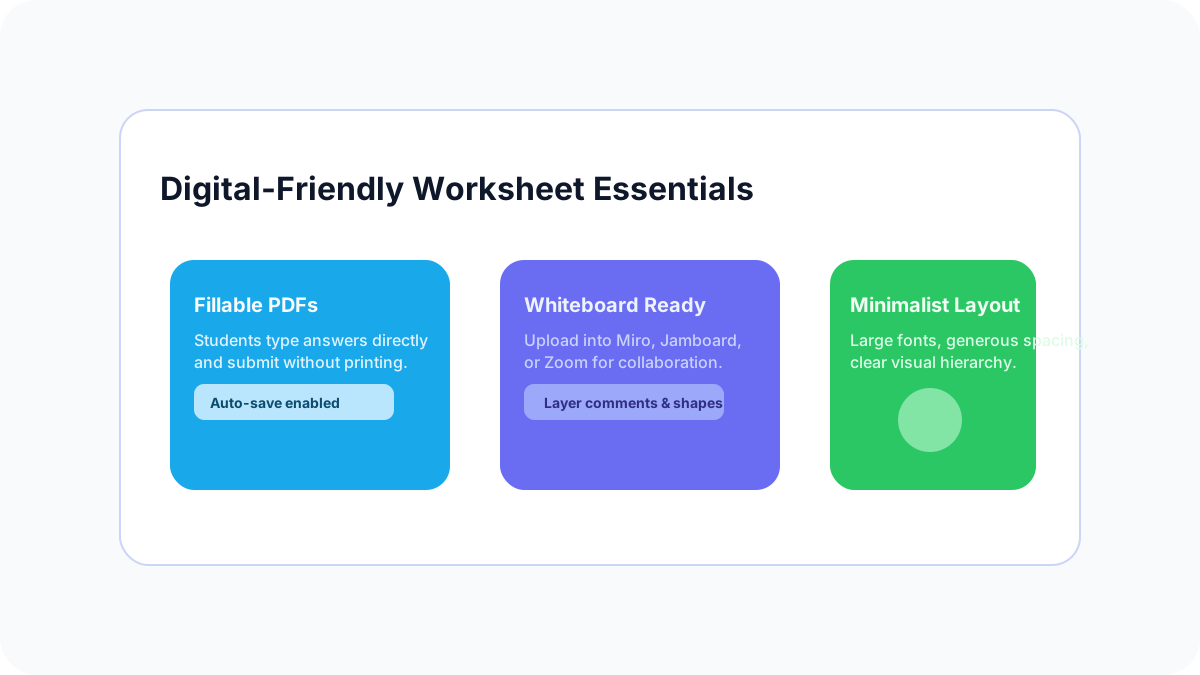
- Fillable PDFs: Allow students to type directly into fields and submit work without printing.
- Whiteboard-ready formats: PDFs or images that upload cleanly to Miro, Zoom whiteboards, or Jamboard.
- Minimalist design: Use large fonts, ample spacing, and clear icons that adapt well to small screens.
Interactive Worksheet Strategies
Bring worksheets to life by pairing them with collaborative tech and gamified elements.
- Annotation tools: Use built-in tools to highlight answers, color-code parts of speech, or brainstorm vocabulary live.
- Breakout rooms: Assign pairs to co-edit a worksheet, then rejoin to compare answers and discuss choices.
- Gamification: Turn question sets into challenges using Genially, Flippity, or Wheel of Names for random prompts.
"The best online learning happens when the technology is invisible and the focus is on the learning."
Video: How to Make Your Worksheets Interactive for Online Teaching
Boost Student Engagement
- Mix activity types: Layer videos, polls, and discussions alongside worksheets to maintain energy.
- Offer choice: Let students choose between two worksheet themes or delivery formats to increase ownership.
- Deliver quick feedback: Use digital stamps, audio comments, or instant polls so students feel supported.
Assess and Provide Feedback
Combine digital workflow tools with consistent routines to keep grading efficient and actionable.
- Google Classroom: Assign, collect, and comment on worksheets without leaving the platform.
- Kami: Annotate PDFs collaboratively, add voice notes, and track revisions.
- Edpuzzle: Pair worksheets with interactive videos to reinforce learning and collect formative data.
Implementation Checklist
- Convert one of your favorite paper worksheets into a fillable PDF or Google Slides activity.
- Plan a breakout room script with clear roles so students know how to collaborate online.
- Decide how you will capture evidence of learning—screenshots, shared docs, or learning journals.
Related hub
Adult worksheets, organized
Looking for worksheets specifically designed for adult learners? The adult ESL worksheets hub collects printable PDFs, workplace English activities, and speaking prompts — all organized by CEFR level.
See the adult worksheets hub →Get the Latest ESL Resources
Join ESL teachers who receive our weekly newsletter with lesson plans, activities, and teaching tips.
Subscribe Now →Related Articles
- → Online ESL Teacher Reddit: What 2026 Threads Actually Report
Online ESL teacher Reddit threads in 2026 cover pay, platform choice, burnout and the gap between marketing and reality. Here is what teachers report.
- → Is VIPKid Worth It in 2026? Reddit ESL Teachers on Pay, Bookings, and Burnout
VIPKid pay per class, booking volatility, the 14-day contract review, cancellations — what ESL teachers on r/vipkid and r/OnlineESLTeaching actually say in 2026, plus how VIPKid compares to Preply, iTalki, and Cambly.
- → iTalki Reddit: English Teachers on Pay, Students, Burnout
iTalki pay, commission tiers, student quality, burnout — what English teachers on r/OnlineESLTeaching and r/iTalki really report in 2026.
- → Is Preply Worth It in 2026? Reddit ESL Tutors on Pay, Students, and Burnout
Preply pay per hour, student acquisition, the 100% commission model, cancellations, and tutor burnout — what ESL tutors on r/OnlineESLTeaching and r/preply actually say in 2026.
New to ESL Teaching?
Check out our comprehensive glossary of ESL teaching terms and concepts.
Browse ESL Glossary →